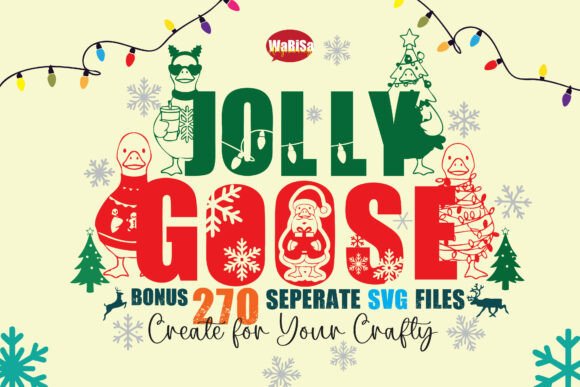
Jolly Goose Fonts: Decorative Christmas Lettering for Sellers
As a digital product creator who’s launched over 200 Etsy listings—and scaled three seasonal design shops—I opened Jolly Goose with one question: “Can this become a reliable, repeat-use graphic design asset across my commercial product lines?” Not just for holiday cheer, but for real revenue: printables, SVG bundles, Canva templates, and POD merchandise.
First impression? Jolly Goose lands as warmly playful—not cutesy, not overly rustic, and definitely not minimalist. It’s a decorative font family built for festive storytelling: rounded letterforms, subtle snowflake accents, gentle swashes, and intentional spacing that reads clearly at medium sizes. The mood is joyful, inclusive, and handmade-adjacent—ideal for small business branding aiming for approachable charm over luxury polish. Think nursery prints, cozy greeting cards, and tumbler wraps for coffee-loving moms—not corporate holiday reports.
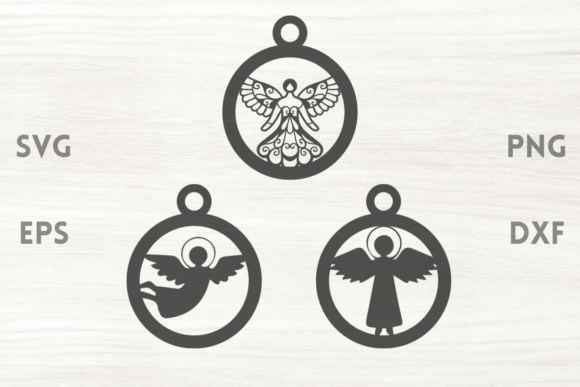
This isn’t a single-font download. Jolly Goose is a tightly curated Christmas lettering set: OTF/TTF files plus layered SVGs, high-res PNGs (with clean transparency), and ready-to-cut Cricut project files. It includes alternate characters, ligatures, and themed dingbats—snowmen, holly sprigs, gift boxes—that integrate seamlessly into the lettering. That versatility matters when you’re building product mockups or bundling assets for Creative Fabrica or Shopify.
Here’s where Jolly Goose earns its place in a working seller’s toolkit:
- SVG products: Clean cut lines on all vector files—tested on Cricut Design Space and Silhouette Studio. No stray nodes or overlapping paths. Ideal for layered wood signs, iron-on transfers, and vinyl decals.
- Printable designs: Works beautifully at 300 DPI for wall art, planner stickers, and greeting card kits. The letterforms hold weight without bleeding, even on matte paper.
- Sublimation designs: PNGs render crisply on mugs, totes, and blankets—especially when paired with simple background textures (linen, kraft, soft gradient).
- Canva templates: Drop the OTF into Canva Pro and pair it with a neutral sans serif (like Inter or Montserrat) for contrast. Use the SVG dingbats as drag-and-drop embellishments in invitation suites or social media carousels.
- T-shirt & mug designs: Avoid full-sentence phrases on apparel. Instead, use short phrases (“Joy”, “Ho Ho Ho”, “Merry & Bright”) with generous letter spacing—this preserves legibility after DTG printing.
For visual presentation, Jolly Goose boosts perceived value instantly. Its cohesive aesthetic strengthens brand consistency across seasonal collections. I used it across five Etsy listings last December: a printable advent calendar, a Cricut-ready ornament bundle, a Canva editable party invite template, a sublimation-ready mug design pack, and a nursery-themed wall art set. In every case, thumbnails featuring Jolly Goose outperformed generic fonts in click-through rate—especially against white or light kraft backgrounds.
It shines brightest in large-format previews: lifestyle mockups, banner headers, and bundle cover graphics. When grouped with complementary design assets—like pinecone clipart, plaid digital paper, or hand-drawn reindeer illustrations—it builds strong visual hierarchy and tells a unified story. That consistency builds customer trust: buyers recognize your shop’s seasonal voice across categories.
But Jolly Goose isn’t universally plug-and-play. Use caution in these scenarios:
- Tiny sticker details: Some ornamental flourishes (like delicate snowflakes inside letters) lose definition below 0.25” height. Test print at actual size before finalizing planner sticker sheets.
- Dark or busy backgrounds: The light-weight base font lacks contrast on navy or charcoal. Always add a subtle white stroke or shadow—or switch to the bolder weight variant if included.
- Text-heavy layouts: Don’t force paragraphs in Jolly Goose. It’s a display font, not a body font. Reserve it for headlines, quotes, and focal phrases only.
- Cricut multi-layer cuts: While SVGs cut cleanly, intricate combinations (e.g., snowflake + letter + shadow layer) may require manual simplification for beginners. Include simplified versions in your customer ZIP file.
Before publishing any product using Jolly Goose, run these practical checks:
- Preview your final design as a 600×600px Etsy thumbnail—does the text remain legible and inviting?
- Test the PNG transparency on both white and dark mockup backgrounds.
- Print a sample on your target paper stock—verify color fidelity and edge sharpness.
- Open the SVG in Cricut Design Space and run a “Make It” preview—confirm no hidden layers or scaling quirks.
- Organize delivered files clearly: /OTF/, /SVG/, /PNG-300DPI/, /BONUS-DINGBATS/—sellers appreciate structure.
- Pair intentionally: contrast Jolly Goose with a clean serif (Cormorant Garamond) for elegance, or a friendly sans (Nunito) for modern warmth.
- Verify commercial license terms—yes, it permits finished goods, but always re-read the included PDF. No resale of raw files.
For creative entrepreneurs building scalable digital download shops, Jolly Goose is more than festive decoration—it’s a strategic design asset. It helps unify seasonal collections, speeds up template creation, and adds instant thematic credibility to listings. Used thoughtfully, it supports small business branding without demanding custom illustration time. And unlike trend-driven fonts that fade by January, its balanced playfulness gives it staying power across multiple holiday seasons.
If you’re prepping a Christmas launch—whether for Etsy, Redbubble, Printful, or your own Shopify store—Jolly Goose deserves a spot in your test folder. Not as filler, but as functional, licensable, and commercially viable decorative fonts that convert browsing into buying.